
Backstory
I have a small laptop-server that runs my home. It serves as a container host (Home Assistant, WireGuard, …), an HTPC (KDE Bigscreen, Kodi, Steam), and random file storage. It works well enough.
One of the long-living items on my personal backlog is capturing that laptop’s configuration somewhere. I keep tinkering with it, and I know that one day, when I break something and need to reinstall it, I won’t remember all of the tiny changes I made, and will spend several years chasing that exact PipeWire config that worked, or the filesystem layout the compose file needs.
I’ve been aware of NixOS’s concept, where the OS is defined by config files - packages, settings, mounts, services, users - and it seemed like a good fit. I had a bit of free time, so I figured I’d give it a try.
The process had some problems, and I couldn’t blame all of them on NixOS.
Heisenbug
While reviewing the things I needed to migrate, I noticed my Home Assistant had recently crashed with a segfault.
After a little bit of running NixOS, it panicked while doing ext4 stuff.
When adding Steam to NixOS, the build failed once, but 3 retries went just fine.
As a battle-scarred engineer, I’m used to problems that show up and go away, and familiar with the temptation to say “well, it works now, let’s go!”, but I know that’s a deal with the devil, and whatever caused this will come back.
The LLM picked up on something interesting: the kernel panicked while accessing an invalid address ffffae8f..., but ffff8e8f... was valid - the only difference being bit 45. Home Assistant, similarly, failed on 0x40000000008, which looks like “field at offset 8 of an object at address 0x40000000000”, and 0x40000000000 is again a single bit (42) flip away from NULL. Single bitflips smell like faulty RAM.
12s to bad
I remember how to diagnose suspicious RAM, on account of the process being so disruptive.
I booted into Memtest86+ and ran a scan. The scan failed (and froze) after 12 seconds, pointing at a specific cluster of addresses.
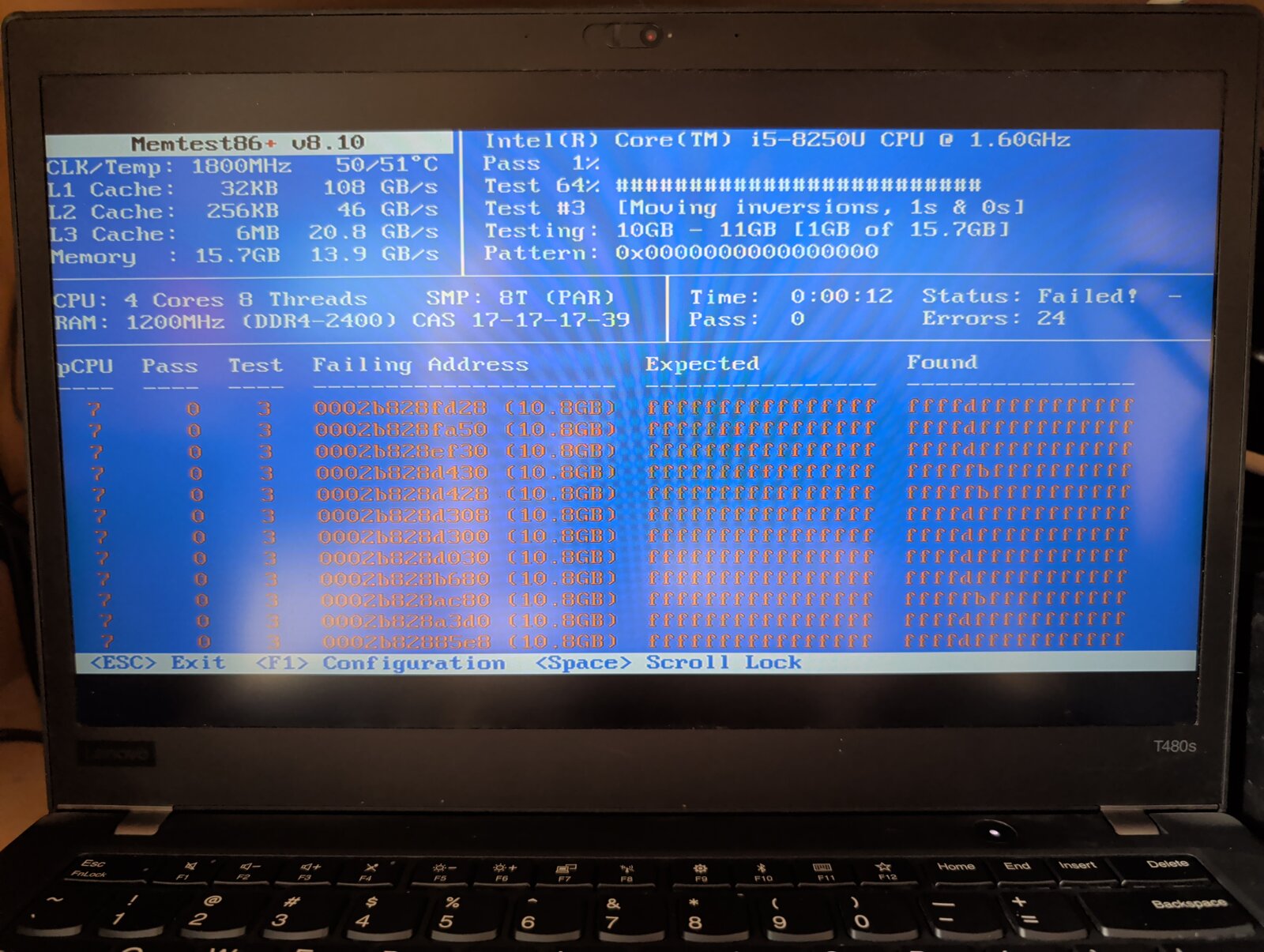
Rebooting and running it several more times (“will it help if I cool it down more?”) gave the same result.
While buying new RAM is not fun in the current economy, it’s not impossible either. I turned the laptop off and took it to my workbench to see what I was dealing with.
Where other RAM
When I opened the case, I didn’t find 16GB of RAM. I only located a single 8GB module, which confused me.
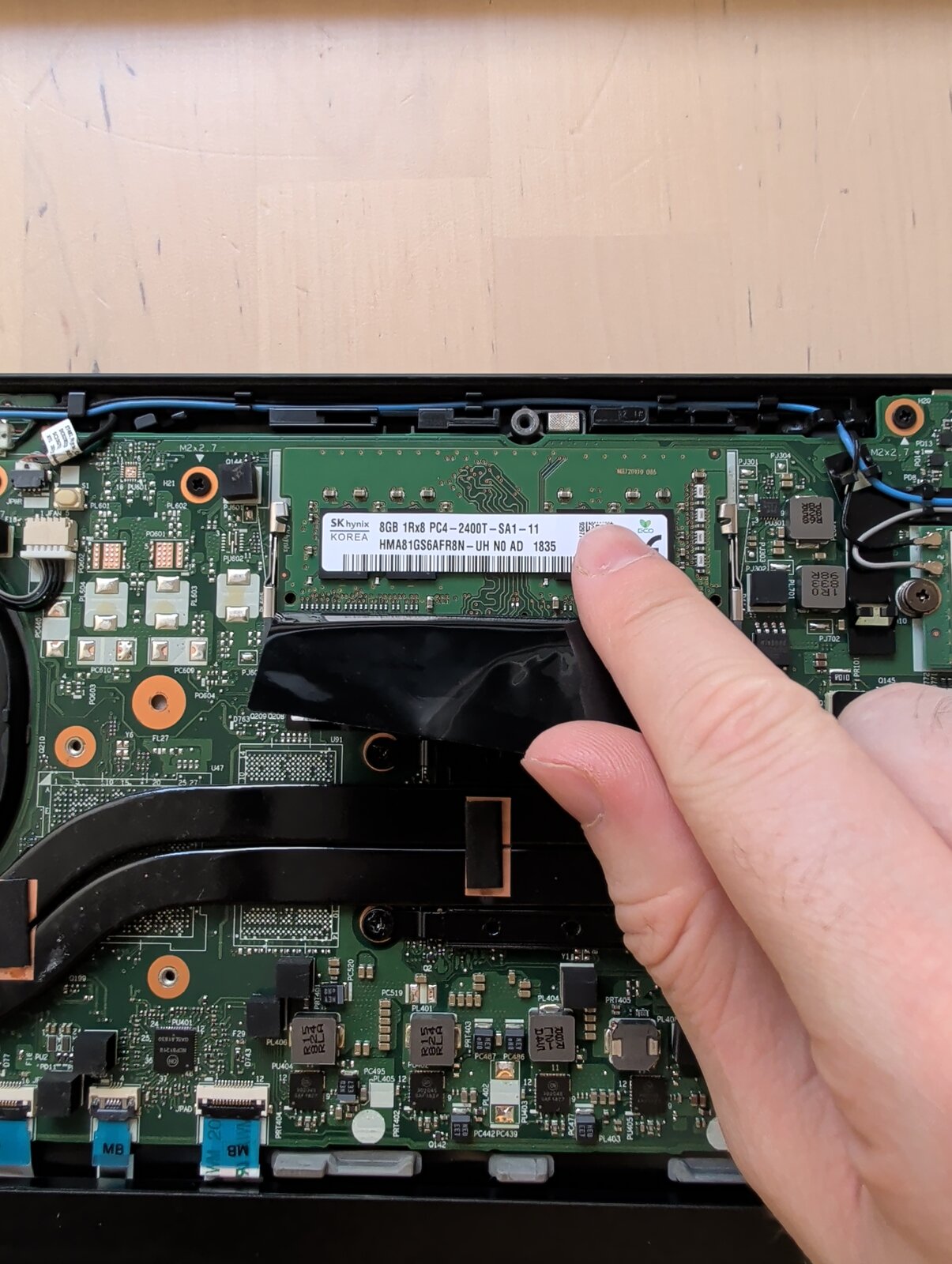
After some research, I saw that this specific laptop comes with a motherboard-soldered 8GB module, which I can’t remove or disable. I silently begged the Powers That Be for the defect to be on the removable module.
A test without the removable module confirmed that the problem is in the soldered one.
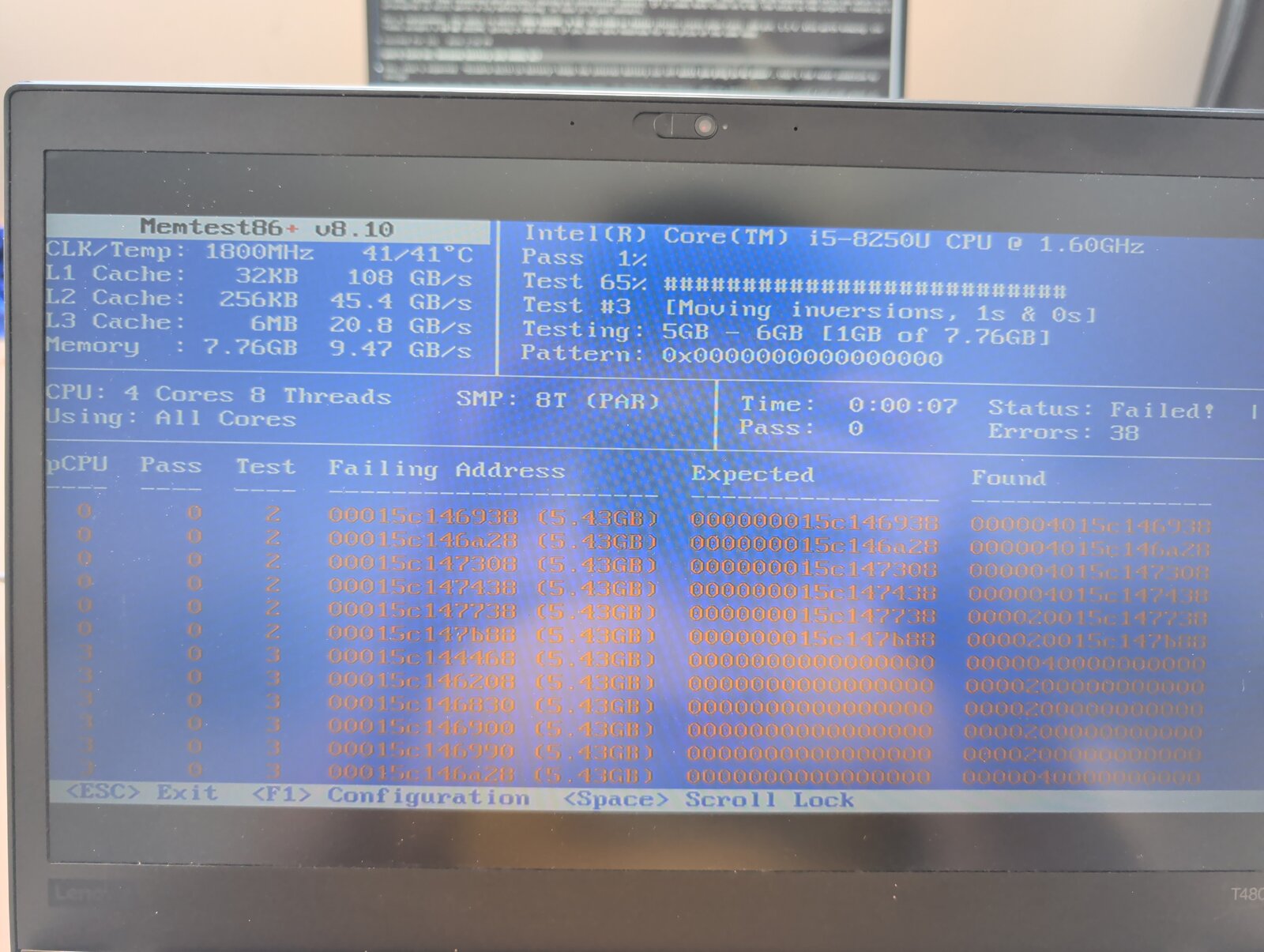
Note - the different failing address is because of RAM interleaving
This means I can’t solve it without replacing the motherboard, which I won’t. Is the laptop usable until I buy a new one?
RAMaround
While I spotted the bad RAM thanks to a very obvious failure, the real risk is when things don’t explode. Without ECC - which this laptop, like most consumer-grade computers, doesn’t have - data can be silently corrupted. You can make a small edit to a file, and saving it adds a sneaky bitflip alongside your changes: undetectable by on-disk checksums (because the filesystem wrote exactly what it was told), but destructive.
Sounds scary enough to throw it out, but what do I do until I get a new laptop?
I complained to my favorite LLM, which suggested two solutions.
The first had the kernel run a small memtest of its own (the memtest=6 kernel command line parameter) and cordon off the areas it found broken. It didn’t work (the kernel found nothing wrong), probably because its testing wasn’t rigorous enough.
The second had us use memmap to make the kernel reserve the known bad area. Supposedly it’s meant for something else to use that area, but if I never ask for it explicitly, nothing will end up using it.
The original recommendation was, since the bad area is a couple of KiBs, to reserve a couple of MiBs extra around it. Because I’m paranoid generous, I instead blocked 2GiB of RAM. In NixOS it looked like this:
boot.kernelParams = [ "memmap=2G$0x280000000" ];
(if you’re GRUBing, make sure to escape that $).
Before returning the laptop to service, I ran a few passes on the ranges that I left available. The failure was around 10.8GiB, so I scanned 0-10GiB and 12GiB-end, and made sure memtest didn’t find anything broken there.
I am aware there could be bitflip gremlins in all of the data I had on that laptop, but luckily I had no precious data there. It was configs that I can regenerate, or state files that I can lose, or some sensor history, where if it’s lost, I can survive.
What happens now?
The laptop-server is back at work, running NixOS. I’m looking to find it a replacement, and wondering what to do with this one. If I give it to a less tech-savvy friend, they’ll probably install Windows, lose the memmap protection (that is only valid with this specific hardware combo anyway), and corrupt away their data with my gift, which is not great.
I figure that if I keep it, it’ll be a read-only “media viewer”, but I’m not even sure about that.